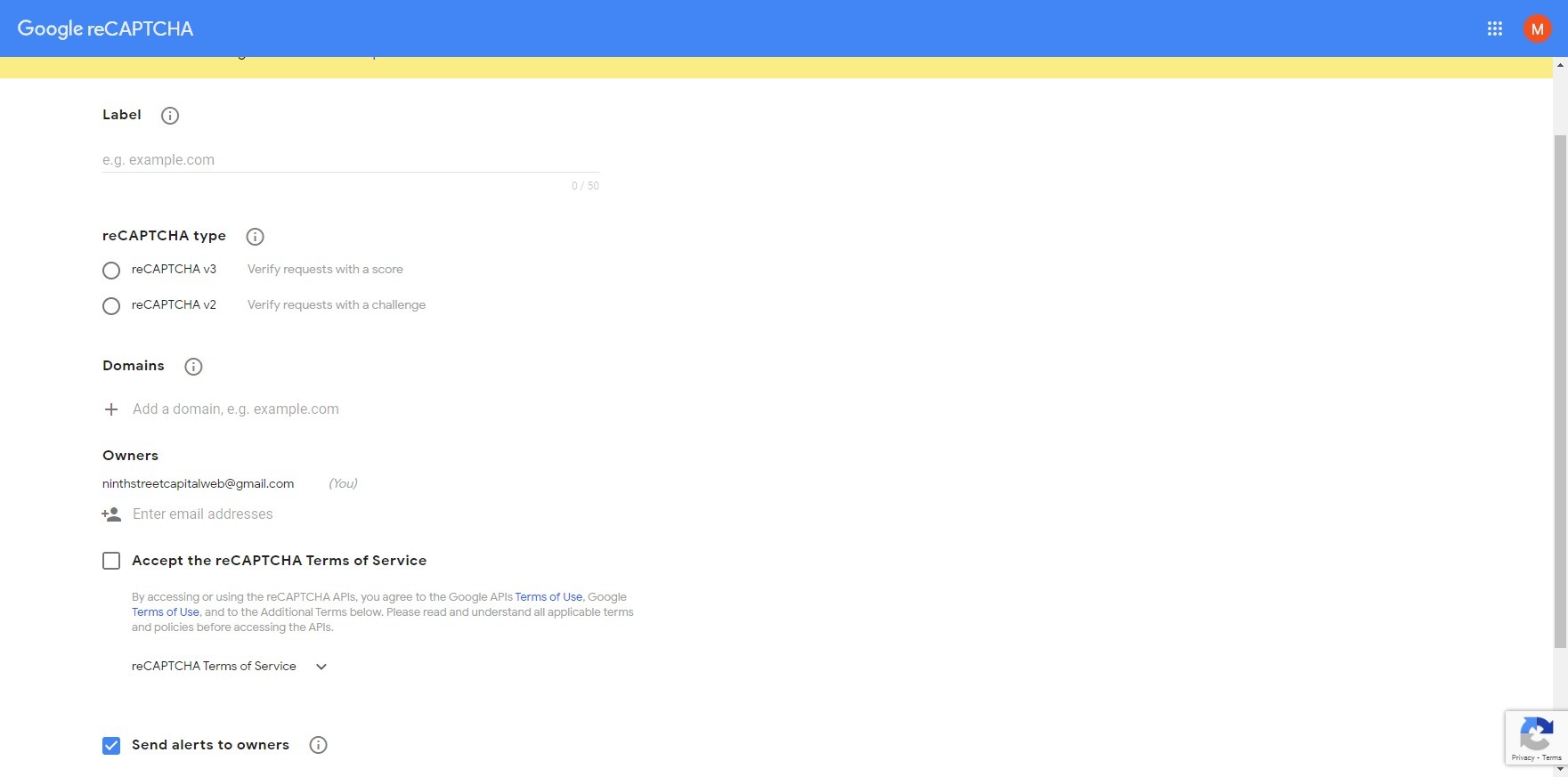
Pick reCAPTCHA v2 as this is the one compatible with Gravity forms. Here I prefer to use the Invisible Recpatcha as it’s a cleaner one and doesn’t clutter the page so I check this one.
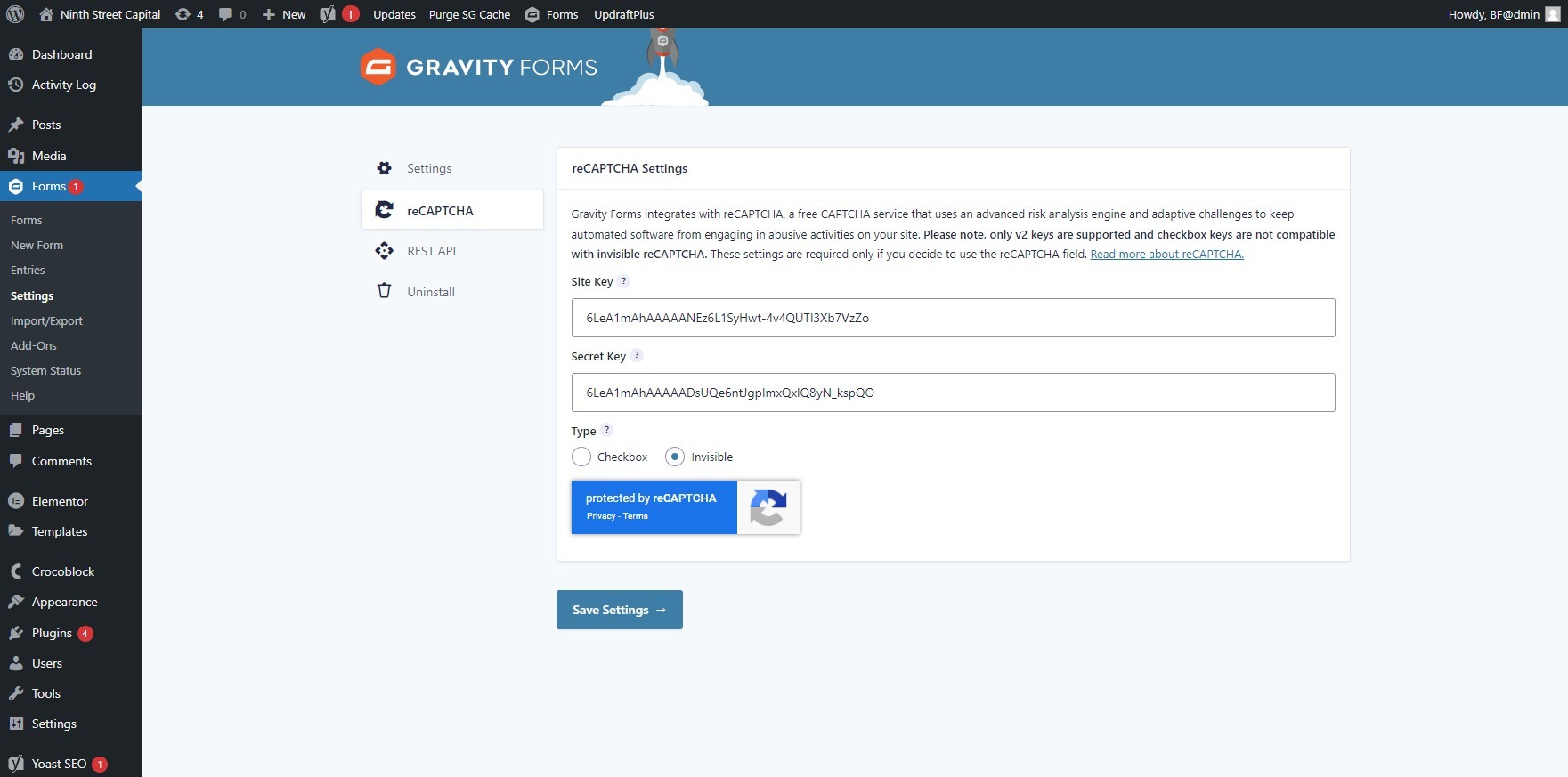
Once you submit the above values you will be given two keys: Site Key and Secret key, copy and paste them into Gravity forms as below.
In the WP admin go to Gravity forms and then Settings where you will find a Recaptcha section. Paste the two site keys obtained above and select Invisible next to it and then click Save.